When to use the app
Use Worklog Rollup when you need the real logged-time total for a Jira issue and the work beneath it.
Typical situations include:
- checking how much time was logged under an Epic, including work logged on Stories, Tasks and sub-tasks below it,
- reviewing delivery effort during project, sprint or release discussions,
- checking whether time was logged on child issues instead of the parent issue,
- answering a quick "how much time did this whole piece of work take?" question without building a separate report.
Before you start
Jira Cloud and Forge
The app is built for Jira Cloud and runs on Atlassian Forge. It appears as an issue panel in the Jira issue view.
The app uses Jira data available to the current user. If Jira does not let the user browse an issue, the app cannot use that issue in a meaningful calculation for that user.
Jira time tracking
The calculation is based on Jira time tracking fields returned for issues, such as timespent and timetracking.timeSpentSeconds. If work is not represented in those Jira fields, it will not appear in the rollup.
Issue hierarchy
The app finds descendants through Jira parent relationships. It starts with the current issue, finds direct children, then continues through lower levels until there are no more descendants or a safety limit is reached.
Open the panel
- Open a Jira Cloud issue.
- Open the Worklog Rollup issue panel in the issue view.
- Wait for the panel to calculate the rollup.
- Review the total and the details table.
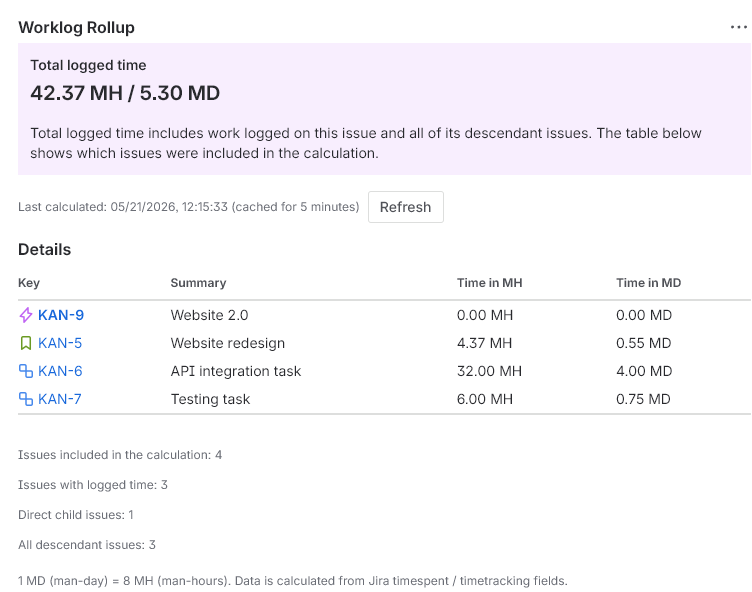
Read the total
The main number is Total logged time. It includes time logged on the current issue and time logged on descendant issues found below it.
Time is shown in two units:
| Unit | Meaning | Conversion |
|---|---|---|
| MH | Man-hours | 1 MH = 1 hour |
| MD | Man-days | 1 MD = 8 MH |
Values are rounded to two decimal places in the panel.
Included issues
The details table shows the issues used to explain the rollup. It includes the root issue and descendant issues that have logged time. The summary counters still reflect the retrieved hierarchy used in the calculation.
The table contains:
- Jira issue key with the issue type icon,
- issue summary,
- time in MH,
- time in MD.
Issue keys are links to the corresponding Jira issues.
Summary counters
Below the table, the panel shows useful counters: issues included in the calculation, issues with logged time, direct child issues and all descendant issues.
No child issues
If the current issue has no children, the panel shows an information message. The total can still include time logged directly on the current issue.
Refresh and cache
The app uses a short-lived Forge Storage cache to avoid repeating the same calculation during normal page refreshes. The current cache duration is 5 minutes.
The panel shows when the result was last calculated. If you recently changed worklogs or issue hierarchy, use Refresh to request a fresh calculation.
The panel also listens for Jira issue change events where available and can refresh after issue changes. Manual refresh remains the reliable option when you want to verify a recent change immediately.
Permissions and license
Jira permissions
The app checks whether the current user can browse the current issue before returning the rollup. Jira permissions also affect which issue data is available through Jira APIs.
If a user cannot browse an issue in Jira, they should not expect the app to show that issue in the rollup.
Marketplace license
In Marketplace production use, the app requires an active Atlassian Marketplace license. If the license is missing or inactive, the panel shows a license-required message and does not calculate the rollup.
Installation scopes
The current Forge app uses these scopes:
read:jira-workto read Jira issue and time tracking data needed for the panel,storage:appfor app-scoped calculation cache and operational usage de-duplication.
Large hierarchies and limits
The app has safety limits so a very large issue tree does not create an unbounded calculation.
| Limit | Current value | What happens when reached |
|---|---|---|
| Hierarchy depth | 50 levels | The result is marked as truncated. |
| Issue count | 10,000 issues | The result is marked as truncated. |
| Child search page size | 100 issues per Jira search page | The app continues through pages returned by Jira. |
| Parent search batch | 50 parent issues per batch | The app splits parent searches into batches. |
If the result is truncated, the total reflects only the data retrieved before the limit was reached.
Languages and themes
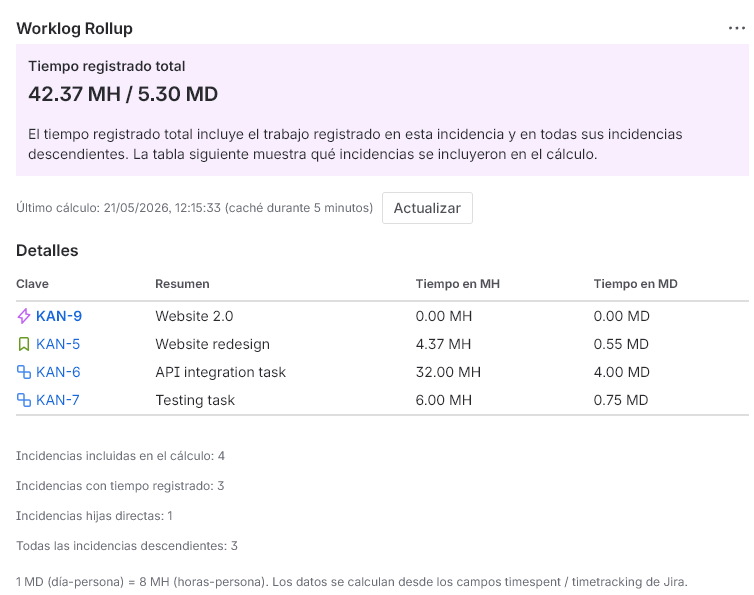
The panel supports English, Spanish, French and Polish. The language is resolved from the Jira product context and falls back to English when the user's language is not supported.
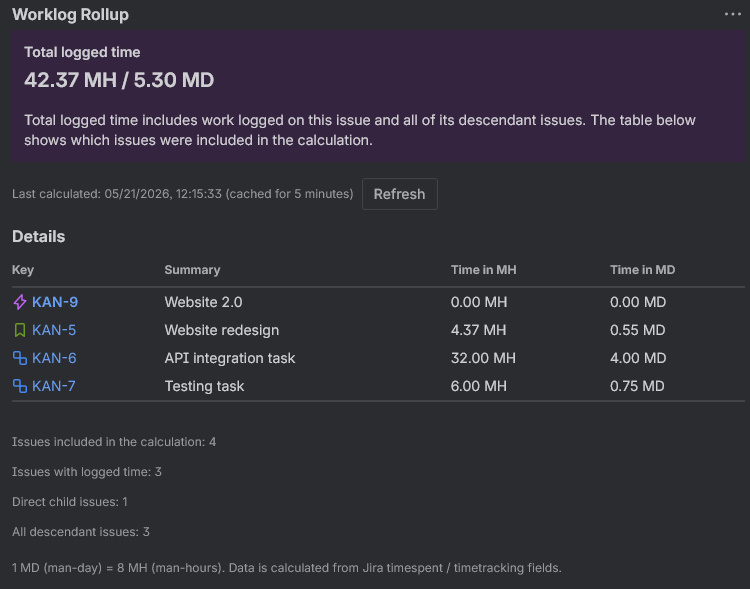
The panel is built with Forge UI components and is designed to work in Jira light mode and dark mode.
Data handling
The app reads only the Jira data needed to calculate and display the rollup:
- issue key,
- summary,
- issue type and issue type icon metadata,
- parent relationship,
timespent,timetracking.timeSpentSeconds.
The app does not read individual worklog entries and does not call Tempo APIs. It does not calculate billing, invoices, costs or rates.
Calculation cache is stored in app-scoped Forge Storage for a short period. See Security Practices, Privacy Policy and Data Processing for the customer-facing data handling summary.
Troubleshooting
The panel says the app needs a license
Ask a Jira administrator to check the Atlassian Marketplace subscription for Worklog Rollup for Jira.
The panel cannot calculate logged time
Check whether the current user can browse the issue in Jira. If Jira permissions or APIs reject the request, the app cannot calculate the rollup.
The total looks too low
Confirm that the missing work is present in Jira time tracking fields on the relevant issues. The app uses Jira timespent and timetracking values, not external billing or Tempo records.
A child issue is not shown in the details table
The details table focuses on the root issue and issues with logged time. A descendant with zero logged time can be counted in the hierarchy but not listed as a time-contributing row.
A recent worklog or hierarchy change is missing
Click Refresh. Normal calculations may use a 5-minute cache unless a fresh calculation is requested.
The result is truncated
The hierarchy reached the depth or issue-count safety limit. Treat the total as a partial total for the retrieved issues.
Issue type icons do not appear
The app tries to load Jira issue type icons for the table. If Jira does not return an icon or the icon cannot be fetched, the table can still show the issue key and time values.
FAQ
Does the app require setup by users?
No separate setup flow is required for normal users. Open the issue panel and review the result.
Does it include the current issue?
Yes. The total includes time logged on the current issue plus descendant issues.
Does it include sub-tasks?
Yes, when Jira exposes those sub-tasks through the parent relationship under the issue tree being calculated.
Does it include deeply nested children?
Yes. The app walks descendant levels until no more children are found or a safety limit is reached.
Does it read individual worklog entries?
No. It reads Jira issue time tracking fields such as timespent and timetracking.timeSpentSeconds.
Does it support Tempo?
No. The app does not use Tempo APIs or Tempo-specific data.
Can it calculate cost or billing?
No. It displays time totals only.
How long is the calculation cached?
Current calculation cache is short-lived and lasts up to 5 minutes unless the user clicks Refresh.
What should I send to support?
Include your Jira site context, the issue key, whether the issue has children, expected vs observed totals and a screenshot of the panel if available.
Glossary
- Root issue
- The Jira issue where the Worklog Rollup panel is opened.
- Child issue
- An issue whose Jira parent is the root issue or another issue in the tree.
- Descendant
- Any issue below the root issue in the Jira parent hierarchy.
- Direct child
- An issue one level below the root issue.
- MH
- Man-hour. One hour of logged time.
- MD
- Man-day. The app displays 1 MD as 8 MH.
- Truncated result
- A partial result shown when the issue tree reaches a safety limit.
- Forge Storage
- Atlassian Forge app storage used by the app for short-lived calculation cache.